
Introduction
What HometownLive TV is, key features, platform components, and who the manual is for.
Introduction
HometownLive is a community-focused live streaming platform built for schools, school districts, parks and recreation departments, independent broadcasters, and natatoriums. It delivers live and on-demand video to fans, families, and alumni — all without requiring viewers to create an account or pay a subscription fee.
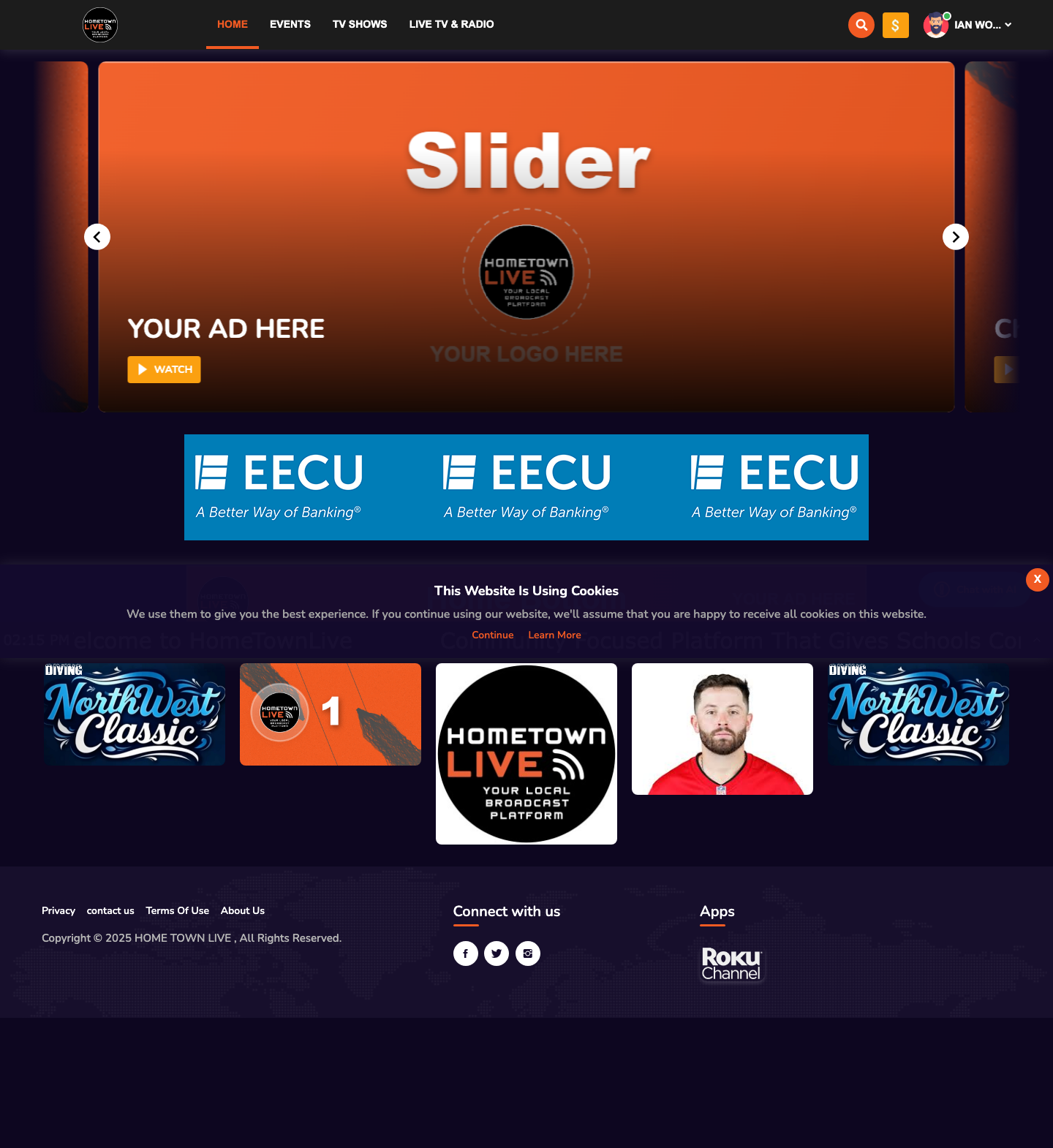
What HometownLive Does
The platform provides everything an organization needs to run a community broadcast operation — from a single varsity football game to a full fine arts season.
Key capabilities include:
- Free viewing for fans — no login required to watch events or channels
- School-branded channels — customizable Live TV channels for each organization
- Live and on-demand content — stream games live and keep recordings available afterward
- Three content genres — Athletics, Fine Arts, and News
- Roku channel support — viewers can watch on Roku devices from the comfort of home
- ScoreBird scoring overlay integration — live scores from a connected ScoreBird NeST device appear directly on the video player during scored events
- Pay-Per-View support — optional paid access for premium or ticketed events
- Episodic TV Shows — recurring programs organized into shows, seasons, and episodes
Platform Audiences
This manual covers two audiences.
| Audience | Who This Is |
|---|---|
| Admin | School AV staff, coaches, broadcasters, and IT administrators who manage content, configure channels, and schedule events. Admins log in to the admin panel at https://platform.hometownlive.tv/login. |
| Viewer | Fans, families, and alumni who watch live streams and on-demand content. Viewers browse the public site with no login required. |
What Each Audience Can Do
| Capability | Admin | Viewer |
|---|---|---|
| Watch live channels | Yes | Yes |
| Watch on-demand events | Yes | Yes |
| Browse TV Shows | Yes | Yes |
| Create and publish events | Yes | No |
| Configure live channels | Yes | No |
| Manage TV Shows and episodes | Yes | No |
| View analytics and viewership data | Yes | No |
| Configure the ticker | Yes | No |
| Manage users and subscriptions | Yes | No |
| Purchase PPV events | No | Yes (with account) |
| Watch free content without logging in | No | Yes |
Platform Access
| URL | Purpose |
|---|---|
https://platform.hometownlive.tv | Viewer-facing site — home, events, TV shows, live channels. |
https://platform.hometownlive.tv/login | Login page for both admins and registered viewers. |
https://platform.hometownlive.tv/admin/dashboard | Admin panel — requires an admin account to access. |
https://platform.hometownlive.tv/signup | Self-registration for viewer accounts. |
Who This Manual Is For
Chapters 2 through 12 focus on admin workflows — everything from configuring channels and publishing events to managing users and reading analytics. The viewer experience is covered where relevant to help admins understand how their configuration affects what fans see. Chapter 13 is a dedicated Viewer Guide for fans and families who need help using the platform.
What You Need to Get Started
| Requirement | Details |
|---|---|
| Admin account | Provisioned by HometownLive. Contact https://platform.hometownlive.tv/page/contact-us to request access. |
| Web browser | A modern browser: Chrome, Firefox, Edge, or Safari (current versions). |
| Internet connection | Required for both admin access and viewing. |
Note: IT / Installer: Admin accounts are provisioned by HometownLive staff. End users cannot self-register as admins. Direct account requests to
https://platform.hometownlive.tv/page/contact-us.
Getting Help
HometownLive provides two self-service support resources.
In-platform tutorials:
- Log in to the admin panel.
- In the sidebar, click Tutorials.
- Select a tutorial from the list to watch a video walkthrough.
Tutorials cover topics including RTMP streaming setup, home section configuration, on-demand video publishing, live streaming, and event management.
Contact form:
- Navigate to
https://platform.hometownlive.tv/page/contact-us. - Complete the form fields: Name, Email, Phone, Subject, and Message.
- Click Submit. A support representative will respond by email.
Tip: Watch the STREAMING and EVENTS tutorials before setting up your first live broadcast. They cover the most common configuration steps end to end.
About This Platform
HometownLive is built on the TKDS Media platform. The TKDS Media branding appears in the admin panel footer. Streams are delivered through the TKDS streaming infrastructure at dallas.tkdsstream.com.
Still need help?
Can't find what you're looking for? Our support team is here to help.
Contact Support →